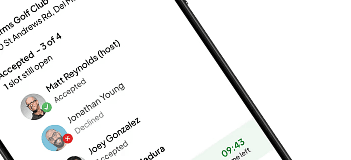
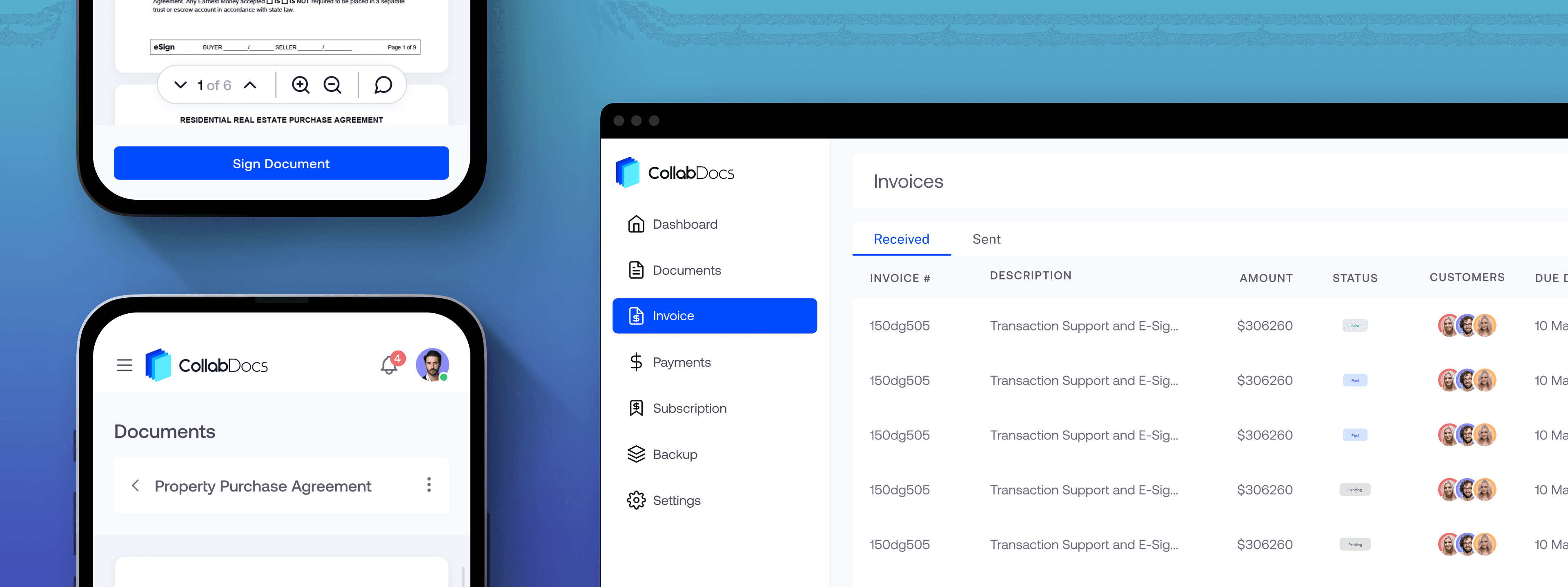
Shared workspace for documents, signatures, and invoices across multi-party real estate deals.
Sole product designer · Product strategy, UX, UI, brand identity, marketing site · Direct collaboration with client/founder
TL;DR
A real estate developer came in frustrated not with any single tool but with the three hours a week he spent making them talk to each other. Designed a unified workspace where documents, signatures, and invoices stay connected to each other and to the deals they belong to. Shipped and live with three active real estate clients running real deals through it.
Background
The coordination cost nobody was accounting for. A typical real estate deal involves a developer, a broker, a lawyer, consultants, and service providers. Everyone needs access to documents. Several need to sign them. Some submit invoices against them. None of them are in the same office.
The client wasn't frustrated with any single tool. He was frustrated with the coordination cost of stitching them together. That's a different problem.
"Every tool works fine on its own. The problem is the three hours a week I spend making them talk to each other."
-Client, first meeting
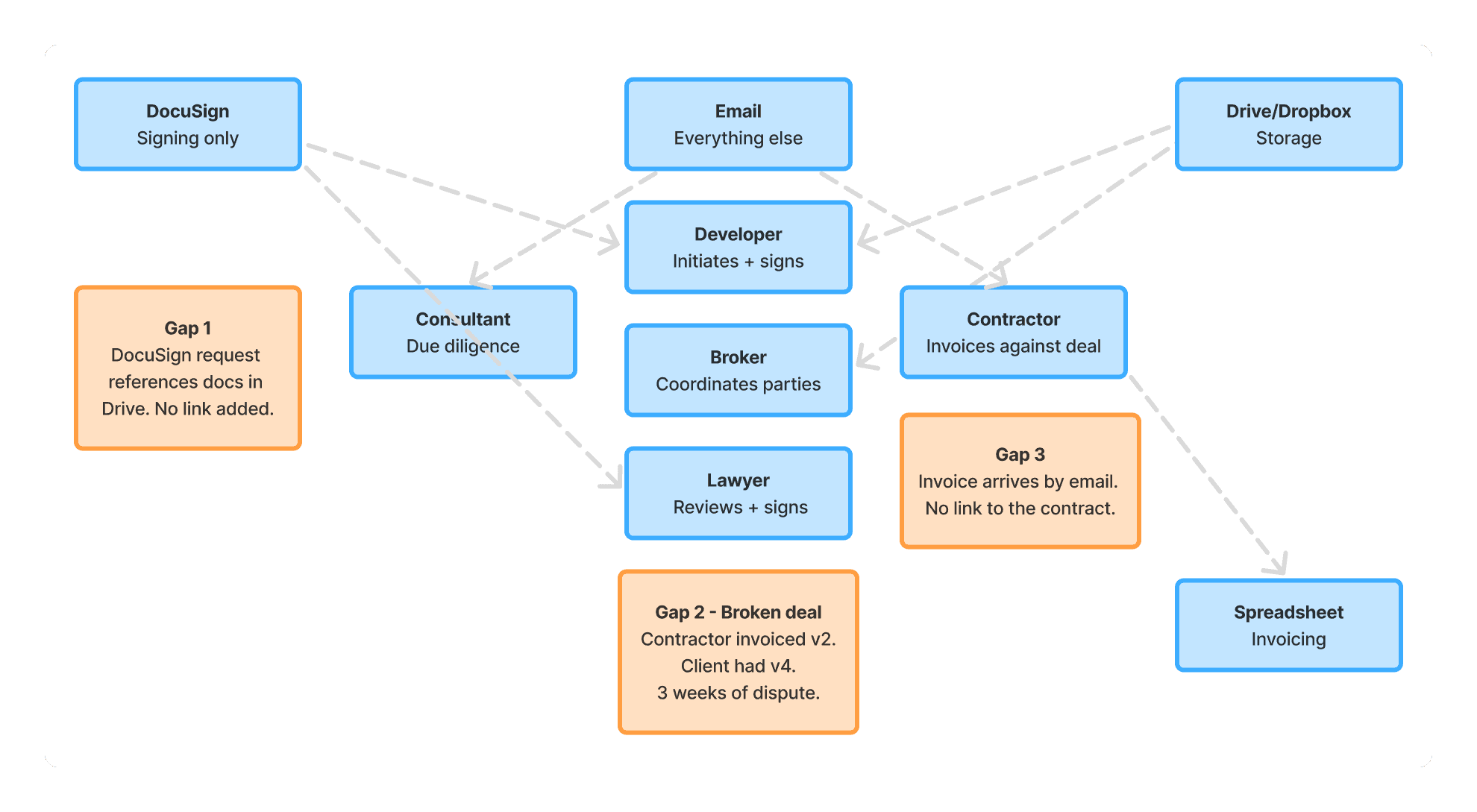
Three gaps in a typical deal workflow — each one a point where context gets lost and disputes start.
Research
One broken deal told me everything. The client walked me through a deal that had recently gone wrong. A contractor submitted an invoice against a contract that had been revised — but the contractor had the old version. Three weeks of back-and-forth followed. The dispute wasn't about the work. It was about which document was current.
The design problem became clear. Documents, signatures, and invoices are all solved in isolation. DocuSign works. Google Drive works. Accounting tools handle invoices. The problem is the gaps between them. A signature request that references a document in a different system. An invoice submitted with no link to the contract it's against. That's where deals actually break down.
Design principles
Two things that kept every decision honest:
State matters more than storage. Users don't need to know where a file is. They need to know what's happening to it. Waiting for a signature? Approved? Invoice attached? The workspace should read as an operational view, not a file system.
Context should travel with the work. The existing system's failure was that everything lived in a different place with no connection to anything else. Every design decision ran through the same filter: does this keep things attached to the work they're about, or does it create another gap?
Key decisions
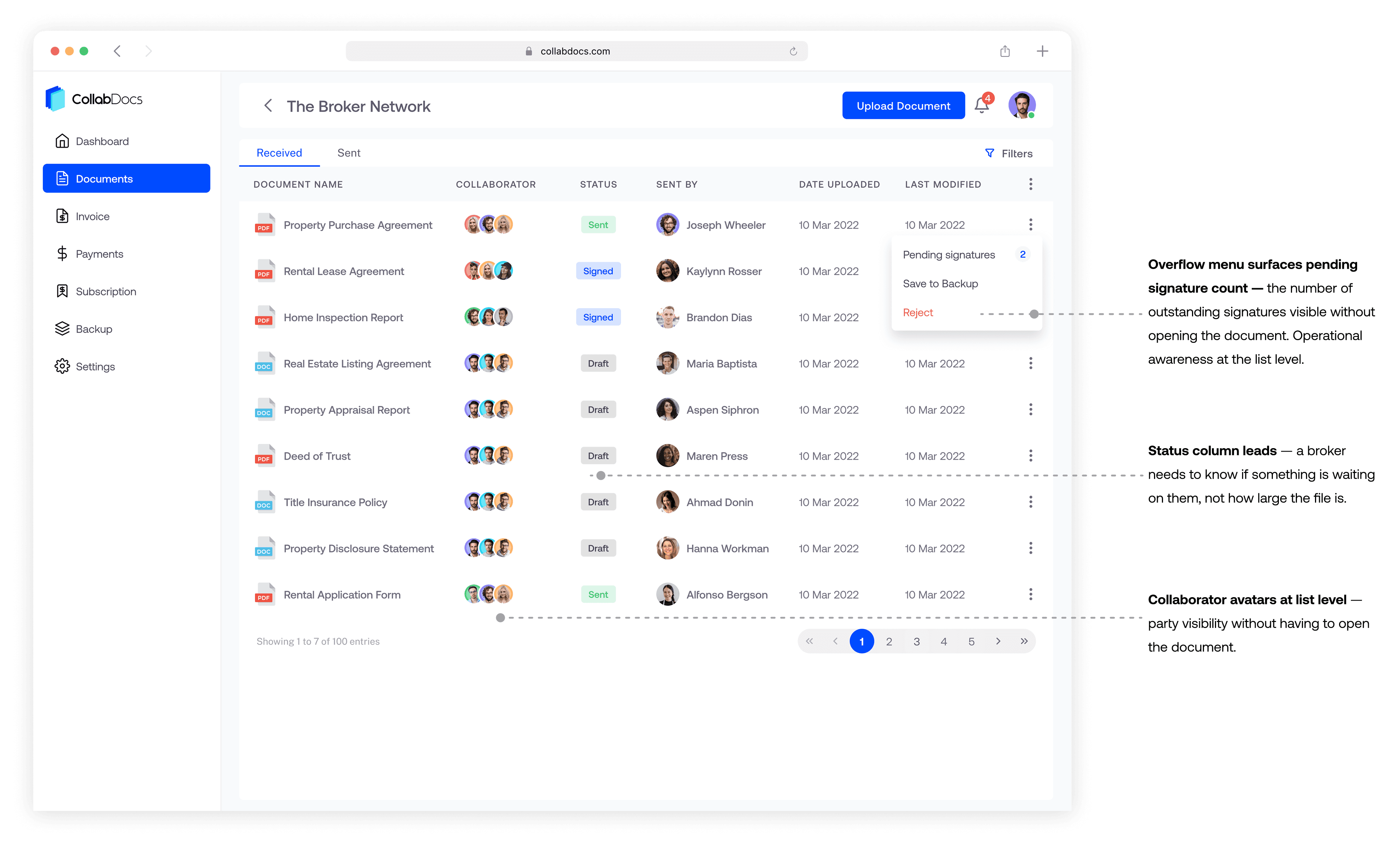
1. Status over storage. Default file management tools show name, type, size, date modified. That's storage-thinking. A broker doesn't care how large the file is. They need to know if it's been signed yet.
✕ File metadata first — Standard: name, type, size, date. None of those drive action. This is an archivist's view, not an operator's view.
✓ Status first — Draft / Sent / Signed / Rejected as the leading column. Overflow menu adapts based on document state so the right actions surface at the right time.
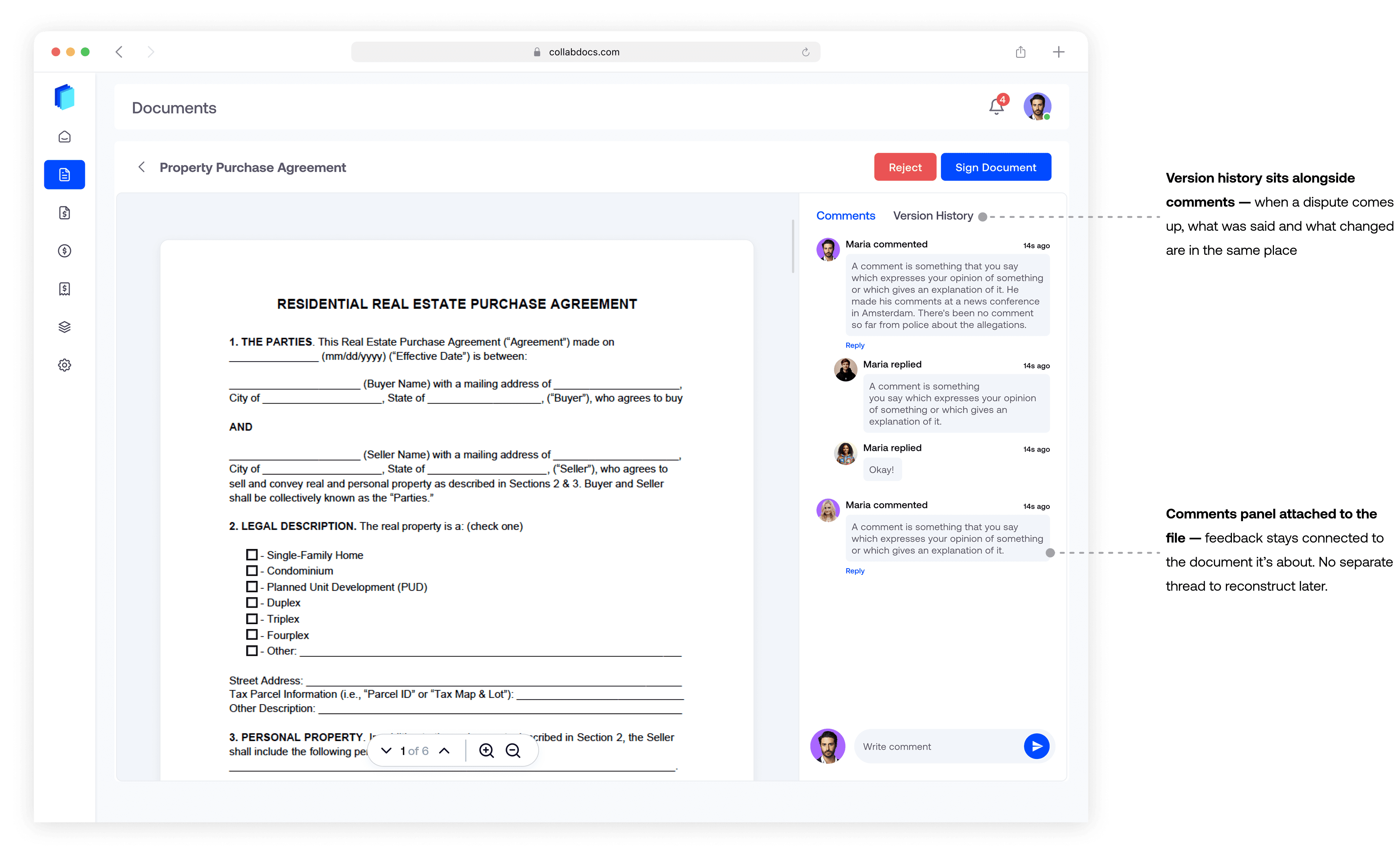
2. Comments inside the document. In most multi-party workflows, feedback lives in email threads disconnected from the file. When a dispute comes up later, nobody can reconstruct what was said and when.
✕ Email / external thread — How it works today. Everyone knows it. But comments detach from the document. Decisions become untraceable. That's the exact problem I was designing against.
✓ Right-hand panel inside the document viewer — Comments stay attached to the file. The conversation becomes part of the record.
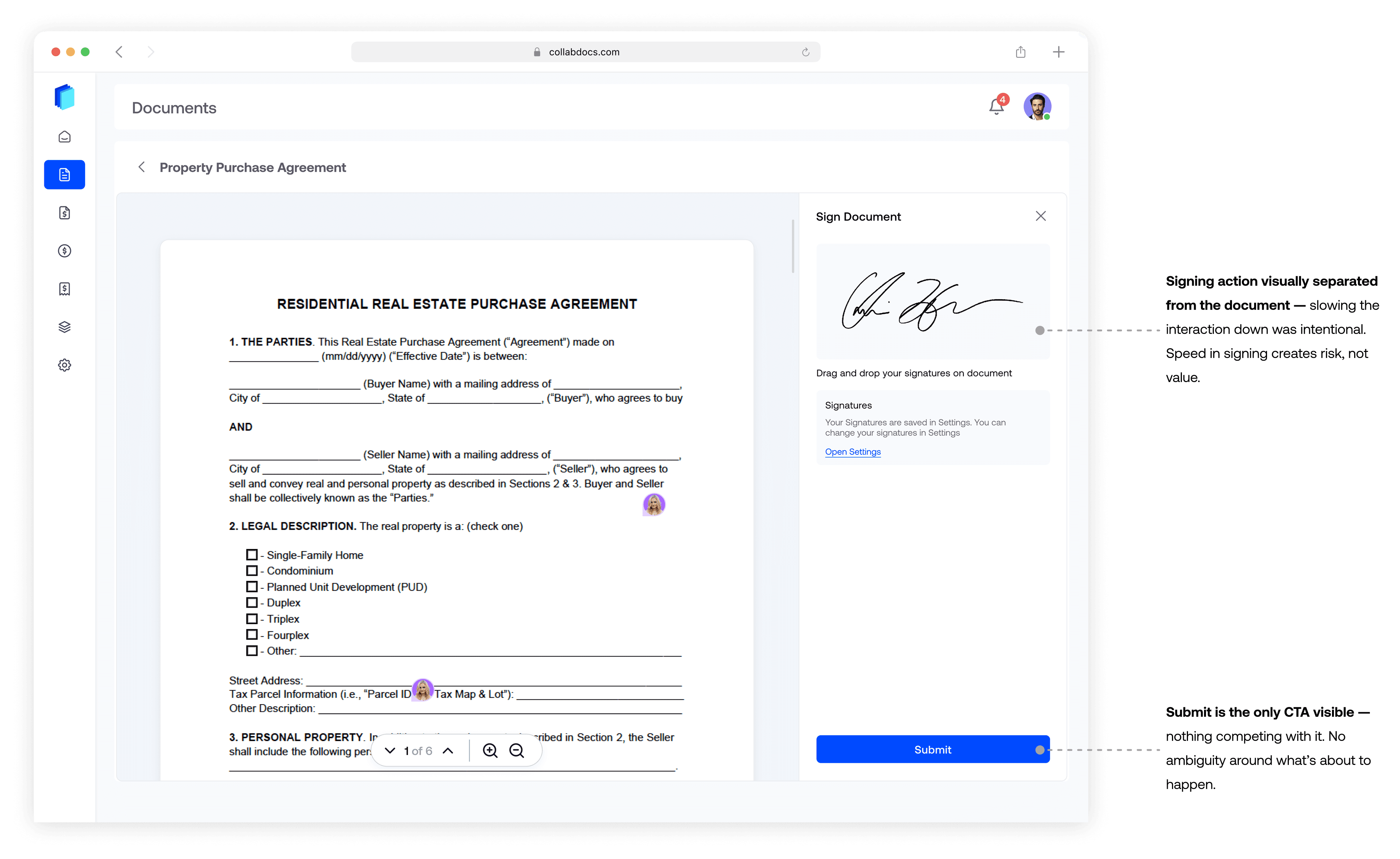
3. Deliberate friction in signing. Sending to the wrong recipient, missing a required party, submitting before everyone has reviewed — these aren't just UX failures. In real estate, they have real professional and legal consequences.
✕ One-tap, optimised for speed — Fast is usually good UX. Wrong optimisation here. Speed in signing creates risk, not value.
✓ Deliberate friction: explicit recipient confirmation, isolated CTA — The action should feel weighted. I stripped everything around the send trigger so there's no ambiguity about what's about to happen.
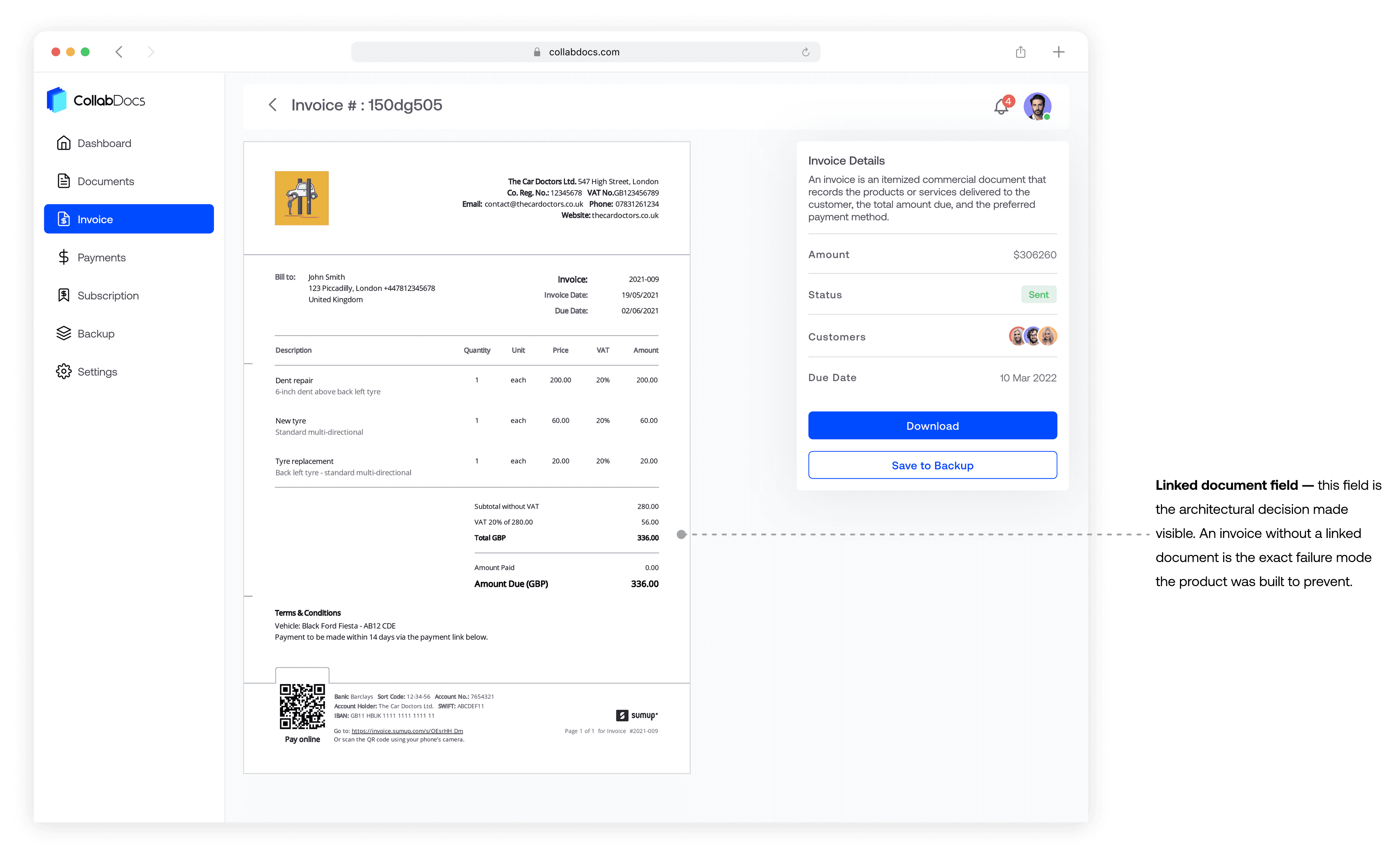
4. Invoices linked to their source documents
Invoices that get detached from the contracts they reference get lost and disputed. The upload flow has one critical field: which document is this linked to. That link is what keeps the whole deal traceable.
Mobile
Same structure, different context. Approvals happen between site visits, before flights, away from desks. If mobile was a simplified version of web, those moments would fall back to email — the exact problem I was solving. I mirrored the web structure completely. Same hierarchy, same status logic, same signing flow.
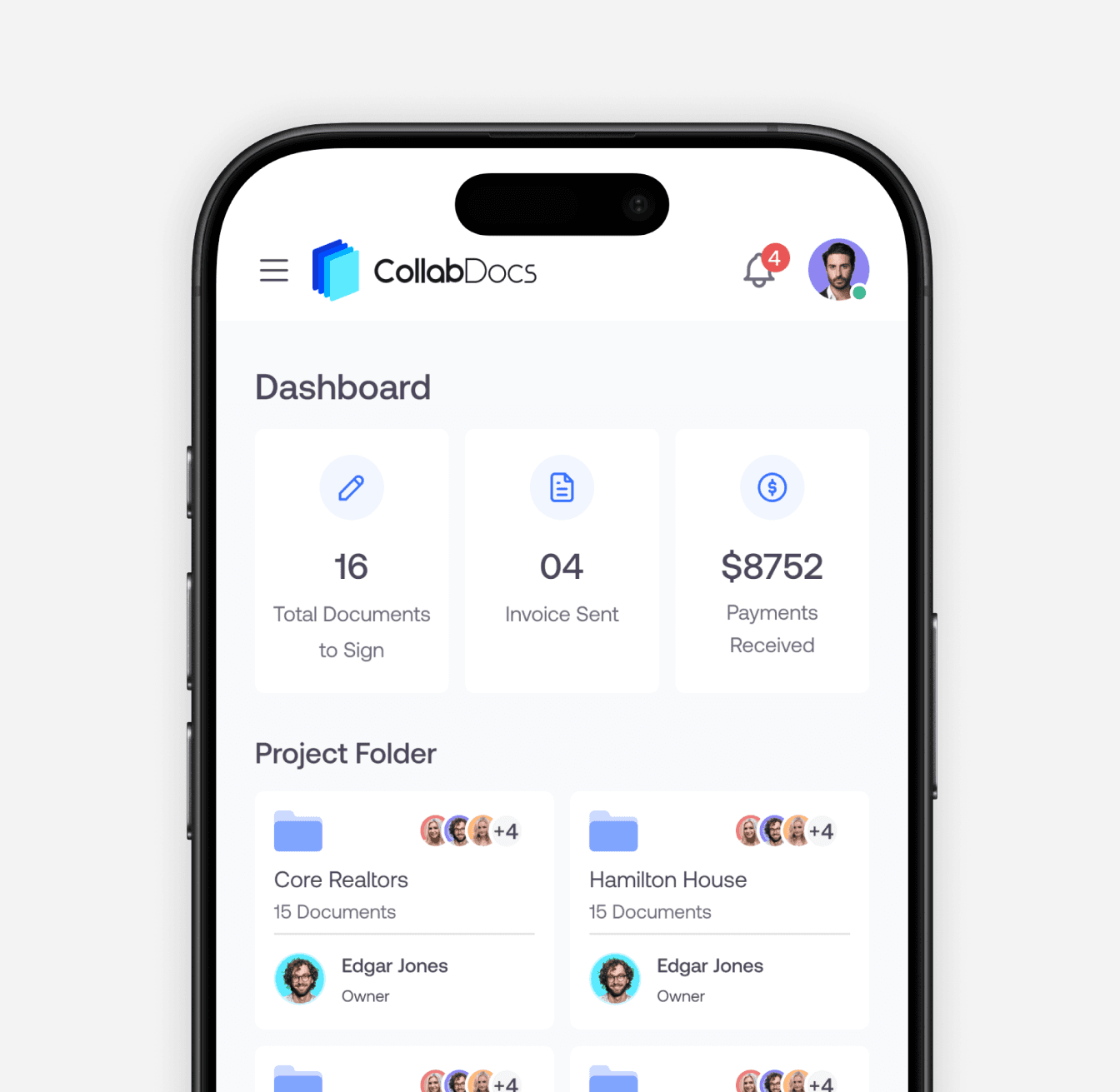
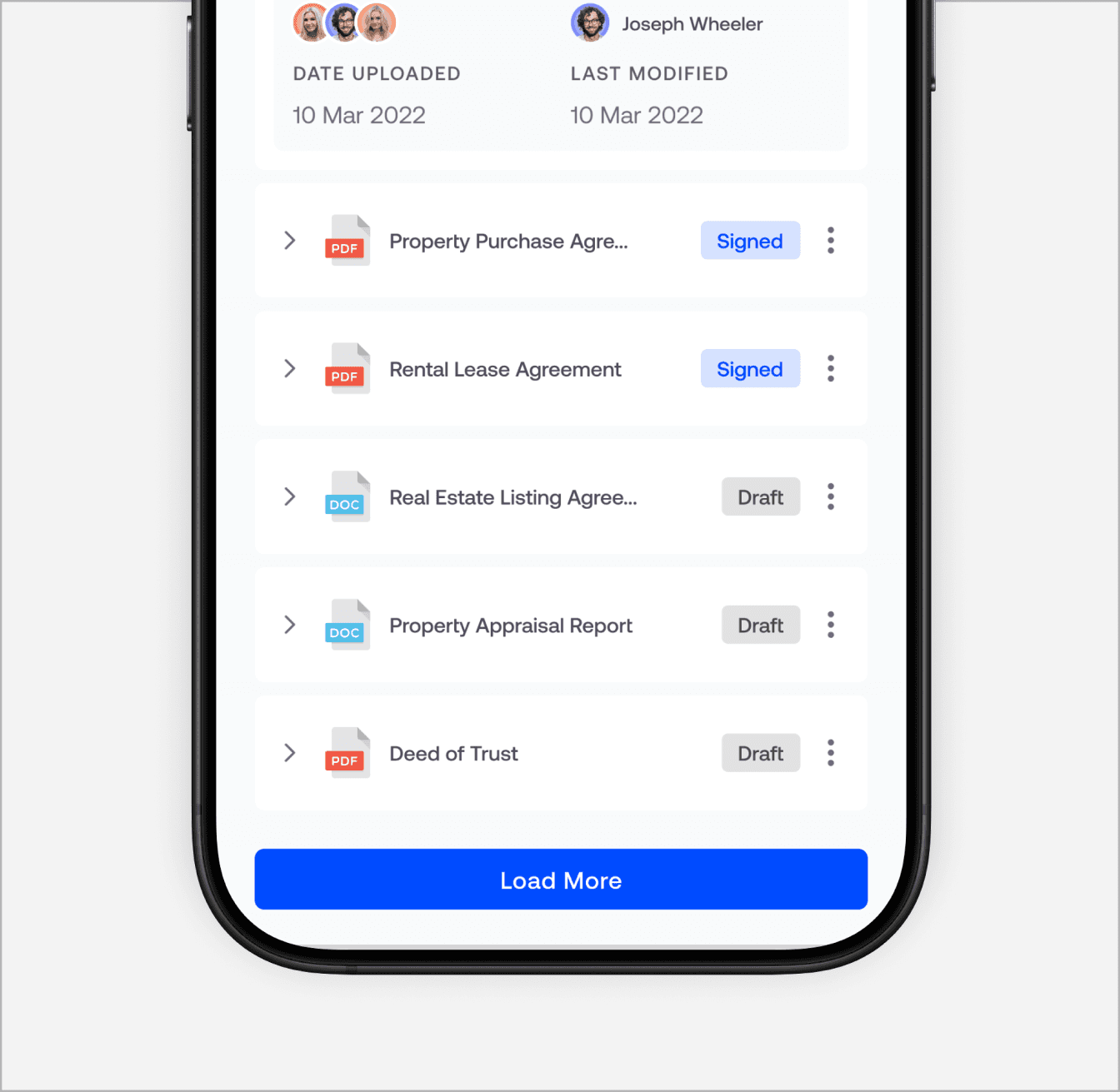
Same hierarchy, same status logic, different form factor. Mobile wasn't a simplified version — the same operational view translated to a smaller surface.
Additional work
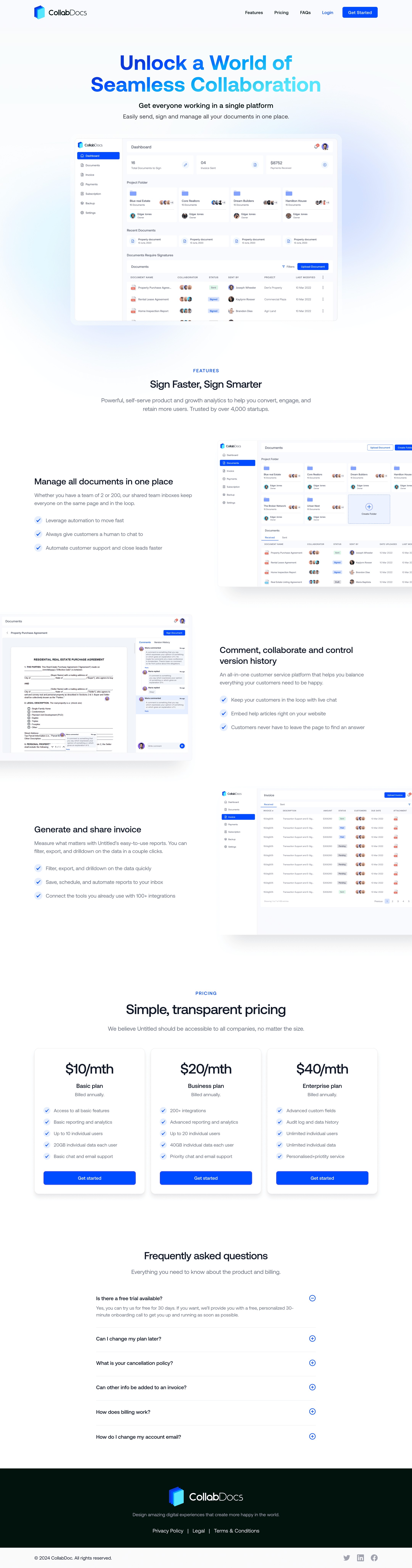
Alongside the core product, I designed the CollabDocs brand identity and marketing landing page. For a product selling trust to legal and financial professionals, the brand had to match the promise of the product before anyone signed up.

The outcome
Live with real users. The product shipped under a different name. Three active real estate clients are running live deals through it. The design system, interaction patterns, and IA I defined went directly into the build with minimal change — the signal a tight handoff actually worked.
If I did it again
I never watched a live deal move through the system start to finish. Some of the edge cases — what a broker does when they need an invoice from six months ago, what happens when a collaborator misses a signing request — were based on inference rather than direct observation. I'd prioritise shadowing at least one complete deal cycle before finalising the flows.
I'd also think earlier about what happens when a party goes quiet. The product has no good answer for a collaborator who stops responding. No escalation path, no way for the host to signal urgency without going back to email. That's exactly the behaviour the product was designed to replace, and I left a gap right in the middle of it.